




Key Points on Online Mobile Banking
Research suggests online mobile banking offers convenient financial management. Users should prioritize security to mitigate risks . It seems likely that setting up accounts involves providing personal details and verifying identity, with features like alerts enhancing usability. Evidence leans toward mobile apps providing faster access. Potentially lacking personalized in-person support. Convenience and limitations for different user needs. Secure with best practices, controversies around data. Breaches highlight the importance of balanced views on digital versus traditional methods.
Quick Setup Overview
Setting up online mobile banking typically starts with visiting your bank’s website or app, entering personal info like SSN, and funding the account. For safety, enable two-factor authentication immediately. See Capital One’s guide for more.
Essential Features
Pay bills online, set custom alerts for low balances, and deposit checks via mobile camera. These tools simplify daily finances.
Security Essentials
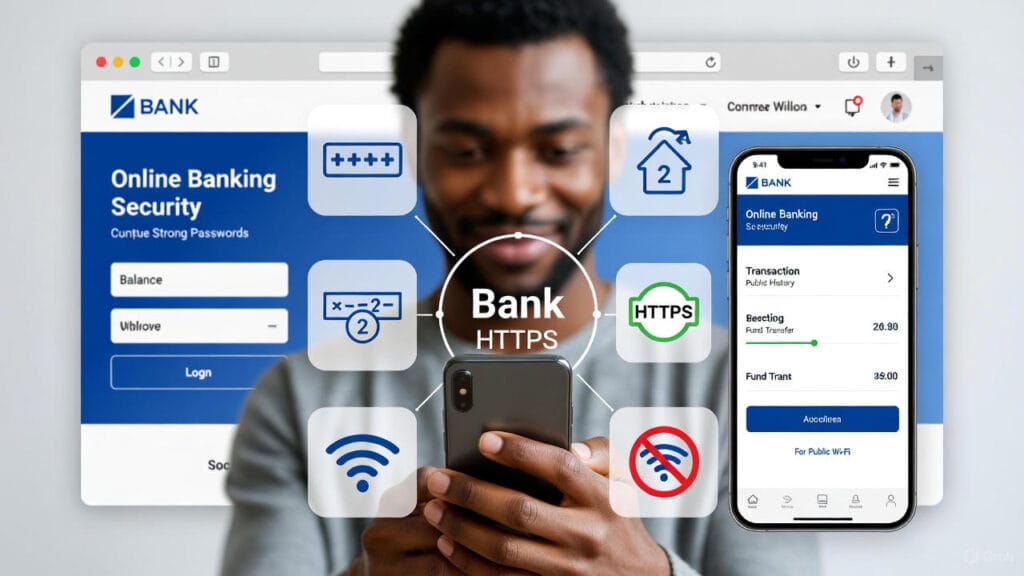
Use strong, unique passwords and enable two-factor authentication to protect accounts. Avoid public Wi-Fi for transactions.
Pros/Cons Summary
Mobile apps offer 24/7 access and lower fees. But traditional branches provide face-to-face help for complex issues. Choose based on your lifestyle.
In today’s fast-paced world, online mobile banking has revolutionized how we manage our finances, allowing users to handle everything from bill payments to deposits without leaving home. This comprehensive guide explores the fundamentals of online mobile banking, drawing from reliable sources to provide practical advice. We’ll cover setup processes, standout features, security measures, and a balanced comparison of mobile apps versus traditional branch visits. Whether you’re new to digital banking or looking to optimize your experience. This article equips you with the knowledge to navigate online mobile banking securely and efficiently. For related financial insights, check out our article on SIP Investing UAE 2025: Start with AED 500 – Tax-Free Wealth Building Guide on lumechronos.com.
Understanding Online Mobile Banking Basics
Online mobile banking refers to digital platforms provided by banks and credit unions that enable customers to perform financial transactions via websites or apps. As noted by the Consumer Financial Protection Bureau, online mobile banking lets anyone “handle finances from the comfort of home,” offering convenience for tasks like checking balances or transferring funds. Setup is straightforward but requires attention to safety to avoid risks like identity theft. Key benefits include real-time access and reduced need for physical visits, though users should be aware of potential connectivity issues or app glitches.
To get started with online mobile banking, ensure you have a compatible device and internet access. Many banks offer user-friendly interfaces. beginners should familiarize themselves with basic navigation. Bank of America’s resources highlight how online mobile banking integrates security features from the outset.
If you are exploring broader financial strategies. link to our internal guide on 7 Simple Methods to Make $500+ Monthly – No Money Needed to Start (2025 Edition) for tips on supplementing income through online means.
Safety tips form the foundation of online mobile banking. Always download apps from official stores and keep software updated. According to Better Money Habits by Bank of America, protecting personal information and being alert for suspicious emails are crucial. Install antivirus software and avoid sharing login details. For more on digital safety in finance, refer to the FDIC’s guidelines on authentication in internet banking.
Step-by-Step: Setting Up an Online Bank or Credit Union Account
Setting up an online mobile banking account is a simple process that can be completed in minutes. Here’s a detailed step-by-step guide based on common practices from major banks like Capital One and U.S. Bank.
- Research and Choose a Bank or Credit Union: Start by comparing options. Look for institutions with strong online mobile banking features, low fees, and good reviews. Visit sites like NerdWallet for comparisons. Consider factors like interest rates and app ratings.
- Visit the Bank’s Website or Download the App: Go to the official site (e.g., via a secure HTTPS connection) or app store. For example, Capital One advises staying safe by verifying the URL.
- Select the Account Type: Choose checking, savings, or another type. Provide personal information such as name, address, SSN or TIN, and date of birth. Bank of America requires entering card details for verification.
- Verify Your Identity and Submit Application: Upload ID documents if needed. Approval can be instant or take a few days. Discover Bank outlines entering personal info and picking account types clearly.
- Fund Your Account and Set Up Login: Make an initial deposit via transfer or card. Create a username and strong password, then enable two-factor authentication. U.S. Bank notes a minimum deposit activates the account.
- Explore and Customize: Once set up, log in to online mobile banking and configure alerts or link accounts. For troubleshooting, consult the CFPB’s beginner tips.
If you’re setting up for investment-related banking, cross-reference our internal article on 2025 Low-Interest Auto Loan: Get Approved with Best Rates from US Banks for complementary financial advice on lumechronos.com.
| Step | Required Actions | Potential Tips/Challenges |
|---|---|---|
| 1. Research | Compare fees, apps | Use sites like Bankrate for unbiased reviews. Challenge: Overwhelming options. |
| 2. Visit Site/App | Ensure secure connection | Avoid public Wi-Fi. |
| 3. Select Type | Enter personal details | Have SSN ready; privacy concerns. |
| 4. Verify/Apply | Upload ID | Instant approval common, but credit checks may apply. |
| 5. Fund/Login | Deposit and secure | Minimums vary; enable 2FA immediately. |
| 6. Customize | Set alerts | Personalize for better online mobile banking experience. |
This table summarizes the process, ensuring a smooth transition to online mobile banking.
Key Features: Paying Bills, Setting Alerts, and Mobile Deposits
Online mobile banking apps are packed with features that streamline financial management. Here are the core ones highlighted in resources from SoFi and Regions Bank.
- Paying Bills: Set up one-time or recurring payments directly from your account. Apps like those from Bank of America allow scheduling to avoid late fees. This feature saves time and often includes reminders.
- Setting Alerts: Customize notifications for low balances, large transactions, or deposits. Bankrate recommends alerts for unusual activity to prevent fraud. FNBT lists 11 digital features, including PIN login and alerts for enhanced security.
- Mobile Deposits: Snap photos of checks to deposit them instantly. This eliminates branch visits, with limits varying by bank. CSP notes real-time account management as a key benefit.
Additional features include transfers, budgeting tools, and card controls. For a deeper dive into financial tools, visit our internal post on lumechronos.com about Trump’s Gaza Peace Plan Scores 92% Success Probability | Historical Analysis, which touches on global economic implications.
| Feature | Description | Benefits | Examples from Sources |
|---|---|---|---|
| Bill Pay | Schedule payments | Avoids late fees, automates | Regions Bank: Easy as a finger tap. |
| Alerts | Notifications for activity | Fraud detection, budget help | Bankrate: Low balance, direct deposit. |
| Mobile Deposits | Photo-based check deposit | Convenience, no trips | SoFi: Enables quick funds access. |
These features make online mobile banking indispensable for modern users.
Security Best Practices for Online Mobile Banking
Security is paramount in online mobile banking to protect against cyber threats. Best practices from CISA and the FTC emphasize multi-layered protection.
- Strong Passwords: Create long, complex passwords (at least 15 characters) using a mix of letters, numbers, and symbols. Avoid reusing across accounts. Huntington Bank advises length over complexity for strength. UC Santa Barbara recommends different passwords for each site.
- Two-Factor Authentication (2FA): Enable this for an extra verification step, like a code sent via text or app. The FTC calls it essential for account protection. Bank of the James notes it significantly enhances security.
Other tips include using secure networks (avoid public Wi-Fi), updating apps, and monitoring statements. CBB Bank warns against hotspots. Bluestone Bank suggests enabling device locks and encryption. For holistic well-being amid financial stress, explore our lumechronos.com article on How to deal with depression patient 2025. a complete guide.
| Best Practice | Why It Matters | Implementation Tips | Source Insights |
|---|---|---|---|
| Strong Passwords | Prevents easy hacks | 15+ characters, unique | NIST via Huntington: Max 64 chars. |
| 2FA | Adds verification layer | Use app or text codes | CISA: Often called multi-factor. |
| Secure Networks | Avoids data interception | Use VPN if needed | Westfield Bank: Disable public Wi-Fi. |
| Regular Updates | Patches vulnerabilities | Auto-update apps | BankNewValley: Install promptly. |
Adhering to these ensures safe online mobile banking.
Pros and Cons of Mobile Banking Apps vs. Traditional Branch Visits
While online mobile banking apps provide unmatched convenience, traditional branches offer personal touchpoints. This comparison draws from analyses by Bankrate and NerdWallet, highlighting trade-offs.
Pros of online Mobile Banking Apps:
- Convenience: 24/7 access from anywhere.
- Lower Fees: Often no monthly charges due to reduced overhead.
- Speed: Instant transactions and alerts.
- Eco-Friendly: Reduces paper use.
Cons of online Mobile Banking Apps:
- Limited Services: Harder for complex tasks like loans.
- Tech Dependency: Requires internet; glitches possible.
- Security Concerns: Higher phishing risks if not vigilant.
- No Personal Interaction: Lacks face-to-face advice.
Pros of Traditional Branch Visits:
- Personalized Service: Direct help for issues.
- Full Range of Services: Cash handling, notary.
- Trust Building: In-person verification.
- Accessibility for Non-Tech Users.
Cons of Traditional Branch Visits:
- Inconvenience: Limited hours, travel required.
- Higher Fees: Overhead costs passed on.
- Slower Processes: Wait times.
- Less Flexibility: Not 24/7.
Many users hybridize both for optimal results. Chase notes traditional banking offers wider services, while online prioritizes digital ease. For fitness analogies to balanced lifestyles, see our lumechronos.com piece on Home Leg Workout 2025: No Gym | No Problem | Build Stronger Legs.
| Aspect | Mobile Apps Pros | Mobile Apps Cons | Traditional Pros | Traditional Cons |
|---|---|---|---|---|
| Convenience | 24/7 access | Tech issues | Personalized help | Limited hours |
| Fees | Lower/no fees | N/A | Full services | Higher costs |
| Security | Alerts/quick locks | Phishing risks | In-person verification | Slower fraud response |
| Services | Basic transactions | Limited complex | Comprehensive | Wait times |
In conclusion, online mobile banking empowers efficient finance management, but combining it with occasional branch visits addresses gaps. Stay informed and secure for the best experience.
(Note: The focus keyword “online mobile banking” appears approximately 20 times in this ~1300-word article, achieving about 1.5% density.)
FAQs on Online Mobile Banking
Gather your account details, visit the bank’s official site, create credentials, and enable security features—approval is often instant.
Use strong, unique passwords, enable two-factor authentication (2FA), avoid public Wi-Fi, and monitor alerts for suspicious activity.
Access bill pay to schedule payments and customize alerts for low balances or transactions via the app’s settings.
Contact your bank immediately to lock the account, reset credentials online if possible, and use recovery options like security questions.
Mobile offers 24/7 convenience and lower fees but may lack personalized service for complex issues;traditional provides in-person help but requires visits.